



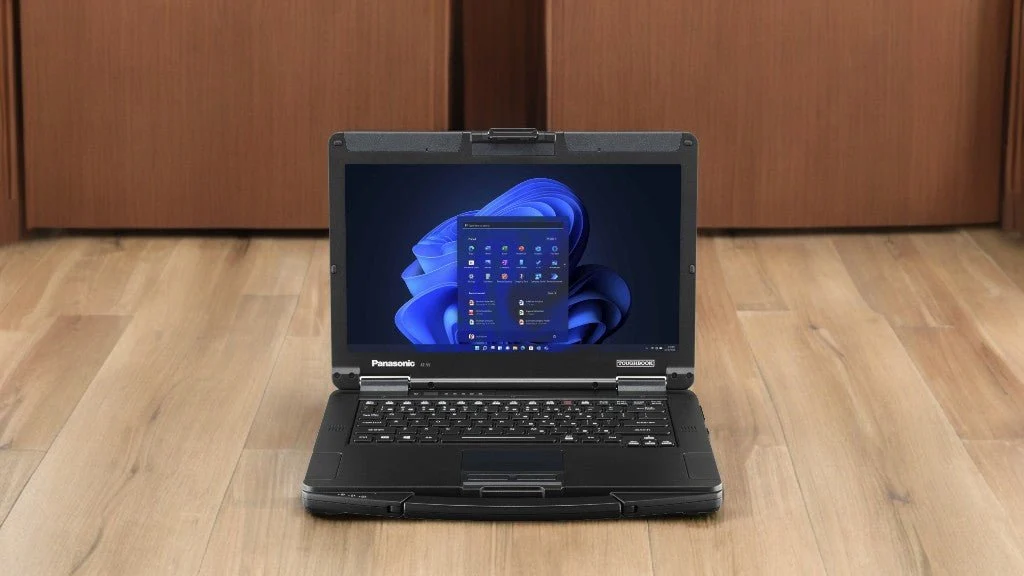
Professionals who spend their days moving between vehicles, facilities, job sites, and outdoor locations need computers that can handle more than ordinary office use. The panasonic toughbook 55 rugged laptop is designed for these types of working conditions, combining a durable semi-rugged platform with the performance, connectivity, and configuration choices needed by many field-based organizations.
A Different Approach to Business Computing
Traditional business laptops usually prioritize thin construction and portability.
Those characteristics work well for employees traveling between offices, airports, and meeting rooms. Field workers may have very different priorities.
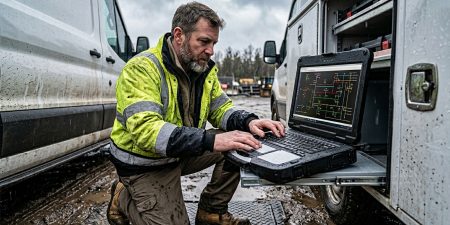
A service technician could carry a computer in and out of a vehicle several times a day. A utility employee may use a laptop near equipment or outdoors. Manufacturing and warehouse teams may work around dust, vibration, tools, and constant movement.
The Toughbook 55 is designed as a semi-rugged computer for these less predictable environments.
Its reinforced construction provides additional protection without requiring the heavier design commonly associated with fully rugged computers intended for more extreme conditions.
A Practical Display for Mobile Professionals
The Toughbook 55 uses a 14-inch display, giving users enough screen space for many professional applications while keeping the computer suitable for mobile work.
A larger workspace can be useful when employees need to review maps, service records, diagnostic software, technical documents, spreadsheets, or multiple application windows.
Display requirements become particularly important when a laptop replaces a desktop computer for much of the working day.
Some field employees may spend hours reviewing information on their laptops between site visits. In these situations, screen size and visibility can contribute significantly to everyday usability.
Depending on the configuration, touchscreen options may also be available for users who need direct screen input.
Modular Hardware Adds Flexibility
One of the more notable aspects of the Toughbook 55 platform is its modular design.
Professional computing requirements can vary considerably between departments. A field technician may require different ports or hardware from a warehouse supervisor, while a public safety organization may have its own connectivity and security requirements.
Rather than forcing every organization into one fixed configuration, the platform allows certain components and expansion areas to be selected according to the job.
This can be useful for companies managing computers across several teams.
Instead of replacing an entire laptop when requirements change, organizations may be able to configure systems around specific roles and equipment.
Connectivity Still Matters in Professional Environments
Modern consumer laptops have steadily reduced the number and variety of physical ports they include.
That may not be a problem for casual users who depend primarily on cloud applications and wireless accessories. For commercial and industrial organizations, physical connectivity can remain essential.
Field teams may need to connect:
- Diagnostic equipment
- External displays
- Network hardware
- Storage devices
- Specialized peripherals
- Vehicle equipment
- Printers or scanners
- Industry-specific devices
This is why port availability should be reviewed carefully before choosing any field laptop.
The right computer needs to communicate with the systems employees already use rather than forcing an organization to replace functioning equipment unnecessarily.
Performance Should Match the Workload
Durability should not come at the expense of everyday computing requirements.
Field workers increasingly use the same types of applications found in traditional offices, including browser-based business systems, video meetings, reporting software, inventory platforms, and cloud applications.
Some industries also rely on diagnostic, mapping, database, or equipment-management software.
Organizations should therefore assess processor, memory, and storage requirements before purchasing.
A user handling basic documentation may need a relatively modest configuration. Someone running multiple applications, large databases, or specialized software may require additional RAM and storage capacity.
Selecting hardware around the actual workload usually makes more sense than choosing either the least expensive or highest-specification configuration automatically.
Where the Toughbook 55 Can Fit
The Toughbook 55 can be considered for a variety of professional environments, including:
- Utility field service
- Fleet operations
- Automotive diagnostics
- Construction management
- Warehouse operations
- Manufacturing
- Telecommunications
- Public safety
- Equipment repair
- Transportation services
These roles often involve a mixture of office and field work.
An employee might prepare reports indoors in the morning, work from a vehicle during the afternoon, and carry the same computer around a site later in the day.
A semi-rugged laptop can bridge these different environments without requiring workers to switch between multiple computers.
Look Beyond Ruggedness When Purchasing
Rugged construction is important, but it should be only one part of the purchasing decision.
Businesses should also consider:
- Processor generation
- Installed memory
- Storage capacity
- Display configuration
- Battery requirements
- Available ports
- Wireless connectivity
- Security features
- Operating system compatibility
- Docking requirements
- Warranty coverage
Organizations purchasing several systems should also consider standardization.
Using similar configurations across a department can make software deployment, employee training, troubleshooting, and replacement management easier.
The goal is not simply to buy a durable laptop. It is to purchase a computer that fits into the organization’s existing workflow.
Choose Field Hardware Around Real Working Conditions
The Panasonic Toughbook 55 can make sense for organizations that need a balance between everyday business performance and added physical durability. Its semi-rugged construction, practical display size, modular approach, and professional connectivity options make it suited to teams that regularly move beyond conventional office environments. Businesses evaluating rugged computers should compare configurations against their software, field conditions, connectivity needs, and daily workload. Visit Tough Rugged Laptops to review available Toughbook models and find a configuration that fits your team’s professional computing requirements.